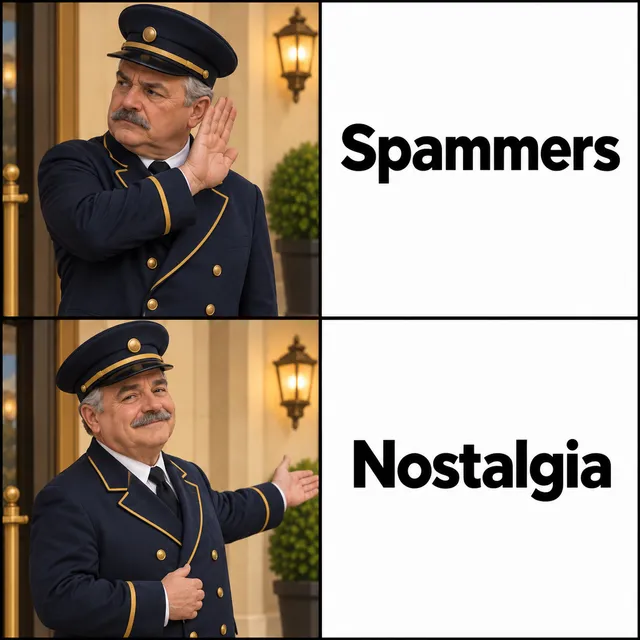
Six digits. Or ten seconds of silence, and the doorman decides for you.
Here’s my number— so call me, maybe
A little more independence
Let them make the call
Your child wants to call a friend after school. You want that too. A shared home phone gives them a place to make plans, tell a story, or call Grandma without borrowing your smartphone.
Choose a simple handset, set up the people who should ring through, and give friends an extension for the right room. Add abedtime for the handset when the day is done. Friends can use ordinary phone numbers through your provider; they do not need to install Call Me Maybe.
A good fit if someone in your household is comfortable maintaining a small Linux phone system. You choose the hardware and carrier, edit configuration files, and look after updates and account credit. A ready-made family phone service may suit you better if you want app-based setup and one company handling support.
The lobby screens incoming calls. It is not an approved-contacts-only outgoing dialer: outside a configured curfew, the supplied dialplan allows ordinary US/Canada-format numbers. Handsets vary; choose one without the apps or screens you are trying to avoid.
This is a supplementary phone that depends on power, internet and a configured provider. Keep another way to reach emergency services.
When the phone rings
One decision, Two doors
Known numbers can ring through; other callers hear the lobby and can enter an extension. Caller numbers are normalized before comparison, so formatting differences do not send Grandma to the wrong door. Caller ID can be spoofed: this is call screening, not proof of who is calling.
For Known Callers
“Welcome, I’ll connect you.”
Every handset in the house rings at once. The first to answer gets the call. A familiar landline experience, subject to your ringing and bedtime rules. No extension needed.
Everyone Else
“Welcome to the phone lobby. Please dial an extension.”
These callers get ten seconds to start dialing an extension. Valid extension rings that room. By default, silence or exhausted attempts gets “Good day.” and a click. You can also route silence to voicemail or the house.
Ten seconds sounds generous until you watch someone read a number off a card. The window is ten seconds to the first digit, then three between digits — so a confident caller is through in two seconds and a fumbling one still gets a fair shot.
A six-digit code exposed to the phone network is a million combinations: ample against a person, thin against a machine that can redial. So after three failed calls in an hour, a number skips the greeting entirely and goes straight to “Good day.” — no prompt, no dial window, nothing to work against.
How is the fit
Secure By Design
The PhoneBrain registers outbound to your VoIP provider, and incoming calls ride that registration back in. No port forwarding, no inbound firewall rules, no dynamic DNS. The only connection crossing your network edge is one the Pi opened itself.
Asterisk does SIP, RTP, and tone detection, because it is very good at those and there is no reason to write them again. Everything aboutwho gets in lives in doorman: one static Go binary, talking to Asterisk over loopback. One call is one goroutine, and a caller hanging up cancels a context that unwinds the whole thing.
It is also its own operations tool. It will tell you what your configuration adds up to, show you how a caller ID normalises, and hand a language model the entire config surface as JSON Schema.
$doorman check
✓ policy.toml is valid
allow-listed numbers : 4
extensions : 4
house ring group : kitchen, living-room, office
Kids : 2-stage ladder, afterhours configured
$doorman e164 "(512) 555-0100"
(512) 555-0100 → +15125550100 (usable for the allow-list)
Beyond the lobby
Also A Full Switchboard
Once the handsets are registered, they get the toolkit a small office PBX has had for thirty years. It turns out to be a remarkably good fit for a house. Each one has its own page — who it is for, and what it replaces.
Because a silent hold is indistinguishable from a dropped call.
Swappable bouncer
The greeting is a folder of audio. Drop in another pack and a Victorian doorman, a bureaucrat, or a ship’s computer meets your strangers instead.
Make the switch
How to get started
One brain. One handset. Your house, on the line. Start small and add a phone in another room whenever you like.
Pick your hardware
Start with one PhoneBrain — a Raspberry Pi or MiniPC — and one compatible handset. Add more handsets whenever you’re ready. Give the brain power, storage, a supported Linux system, and a wired connection to your router.
Open a VoIP provider account and choose a phone number. Set up calling credit or billing, and activate emergency calling with your address. You choose the carrier and pay it directly.
Install doorman and Asterisk on the PhoneBrain, then add the greeting audio. The installer below gets the software started; the setup guide walks you through the rest.
Connect your provider and register your handset with the PhoneBrain. Follow the guide yourself, or ask Claude or ChatGPT to help you work through it. You’ll still need to plug in the hardware and set up your provider account.
Choose who rings straight through, give friends an extension, and decide which phones ring when. Add quiet hours or a handset bedtime to suit your household.
Make the first call
Call in from another phone, call out, and check that you can hear each other. Try the lobby from a number outside your known callers, then check your extensions and quiet hours before handing the phone to the family.
Put it to work as your PhoneBrain. Install doorman on a supported Linux system, then connect your provider and a compatible handset. Start with one phone and add more whenever you like.
Run this command on your PhoneBrain to install doorman. Then follow thesetup guideto finish connecting your home phone system.
Park the screens. Pick up the phone. Kick it old-school cool.*
*The nostalgia is welcome. The spammers get the lobby.
What to buy
Suggested hardware
doorman has no opinion about brands. Anything that registers over SIP works, so buy on ergonomics and price. The type matters more than the model: wired desk phones never surprise you, DECT is the right answer for cordless, and an ATA means the phones already in your house may need nothing bought at all.
For the PhoneBrain — a Raspberry Pi or MiniPC — one choice is worth being rigid about: use wired Ethernet. Wi-Fi jitter on the box handling audio is the difference between a clear call and someone sounding underwater. Then put it on a small UPS — a house phone that dies in a power cut is worse than none, because you thought you had one.
Puts analog phones you already own on the lobby — an existing cordless base, or a 1950s rotary. Two ports, so two handset entries. Usually the cheapest way to cover rooms, and the most fun.
A color display and Gigabit Ethernet for a desk that doubles as a home office. Use PoE or add a compatible power adapter.
Budgeting, not a live quote. Approximate new-hardware prices in USD, checked , before tax and shipping. Price links show the reference listing; Amazon prices and bundles may differ. Pi prices cover the board only: allow for a power supply, storage, case and any cooling. DECT bases and extra handsets are separate unless marked as a bundle.
Disclosure. The Amazon links above are affiliate links — buy through one and the project earns a commission at no cost to you. Nothing here is sponsored and no vendor has paid for placement. Be aware of the obvious bias anyway: the Amazon product links earn something, while the price references do not.doorman works with any SIP endpoint, the ATA above may mean buying nothing at all, and a free softphone will test your whole ringer ladder before you spend a cent.
Nothing to buy
Not ready for a dedicated handset?
A softphone is a real SIP endpoint. It registers exactly like the hardware above, gets its own entry in handsets.toml, and rings when the ladder says so — so you can hear the bouncer, test a ringer ladder, and dial your own extension using the phone already in your pocket, before spending anything.
LinphoneFree · open sourceiOS · Android · macOS · Windows · Linux
Runs on everything, including the desktop you are reading this on. The quickest way to hear the lobby answer without owning a single handset.
Acrobits, and worth the money for one reason: it works much harder to stay reachable in the background. That is the difference between an app you open and a phone that rings.
The honest catch. A softphone only rings while it is registered, and phone operating systems are ruthless about suspending apps in the background. On a desktop that is a non-issue. On a mobile it needs push notifications or a foreground service, and push against a self-hosted PBX takes real configuration. Treat a softphone as the best way to try all of this, and as a genuinely good desk phone — not yet as the handset you expect to wake you at 2am. That is what the hardware above is for.